After following this guide on how to rip CDs to FLAC using EAC, this guide will explain how to burn a 1:1 copy of a ripped CD using EAC. You will need the cue sheet which was created during the rip process.
EAC (Exact Audio Copy) is currently the only program that can read its on non-compliant cue sheets and use write offsets. This is why it is the weapon of choice when it comes to making 1:1 copies.
Firstly we need to find out the CD drives write samples offset. You can work this out from the guide found HERE. Once you have worked out the write samples offset enter it into the box found under the “Writer” tab as shown in the screenshot below. This is found under the “Drive Options” menu in EAC or use the shortcut key F10.

Once the correct write samples offset has been set we can burn the CD. Click on the “Tools” menu and then select “Write CD-R” and the following window will appear.

The cue sheet will probably refer to .wav files so you have to decode your .flac/.wv/.ape/etc files to .wav files before you can burn them. After this click on “File” and then “Load CUE Sheet” and then select the cue sheet you want to use.
If EAC throws up an error while trying to load the cue sheet it’s probably because the files have been renamed, and the files the cue sheet is referencing do not exist. If this is the case then you can simply rename the files referenced in the CUE sheet using a text editor such as notepad. The screenshot below shows a failure when loading a cue sheet.

If everything in the cue sheet is correct then it should load up without any issues as the screenshot below illustrates.

Next step is to burn the actual CD. Click on the “CD-R” menu and then select “Write CD…” as shown in the screenshot below.

Next select the options for burning and click “Make It So” to start burning the CD.

The CD burning process will start and the progress will be shown.
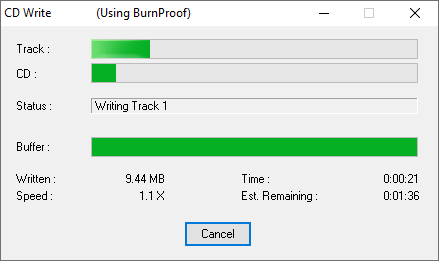
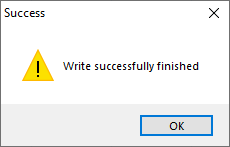
Once the CD burning has finished it will show the following message.
Now you should have an exact copy of the CD that was originally ripped. If you want to double check this the most simple method is to burn one of your own rips and re-rip it. Then compare the CRC values from the logs to see if they match. If they do, then you are burning 1:1 copies of your rips.