This guide will create a new column in Mp3tag to show the padding size of any metadata stored in the files. This can be useful to check for excess padding in files that can later be removed.
Download and install Mp3tag from HERE.
Open up Mp3tag and then right click on the column header.

Click on “Customize columns…” and the following window will appear.

Enter the following into the boxes:
Name:
Padding (KiB)Value:
$div(%_tag_size%,1024)Then tick the “Numeric” box.
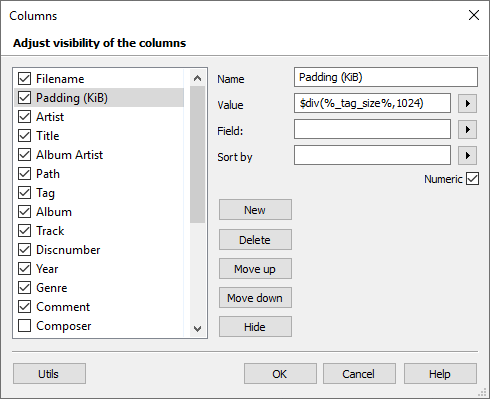
Click “OK” and now you will have a new column showing the padding size of the stored metadata.
If you find some files have excess padding then you can check out THIS guide on how to remove it.