When Exact Audio Copy creates a log file after ripping a CD there is a tool to check if the log file has been edited. In the EAC folder there is a file called “CheckLog.exe“
Create a .bat file by opening up notepad, paste in the code below and save as whatever you like. Then remove “.txt” file extension and change it to “.bat”.
@echo off
"C:\Program Files (x86)\Exact Audio Copy\CheckLog.exe" %1
pause
Save the .bat file anywhere you like on your computer. You can then drag and drop a .log file onto it to check it.
If you want to get a bit more advanced you can use the following code to check multiple .log files at once. Simply create another .bat file and paste in the code below. This will allow you to drop a whole bunch of .log files onto it to check.
@echo off
if [%1]==[] goto :eof
:loop
echo Checking %1:
"C:\Program Files (x86)\Exact Audio Copy\Checklog.exe" %1
echo.
echo.
shift
if not [%1]==[] goto loop
pause
If the .log file is OK it will show the following:

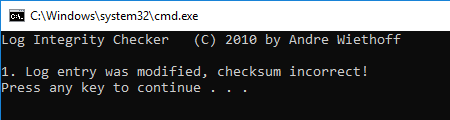
If the .log file appears to be edited it will show the following:
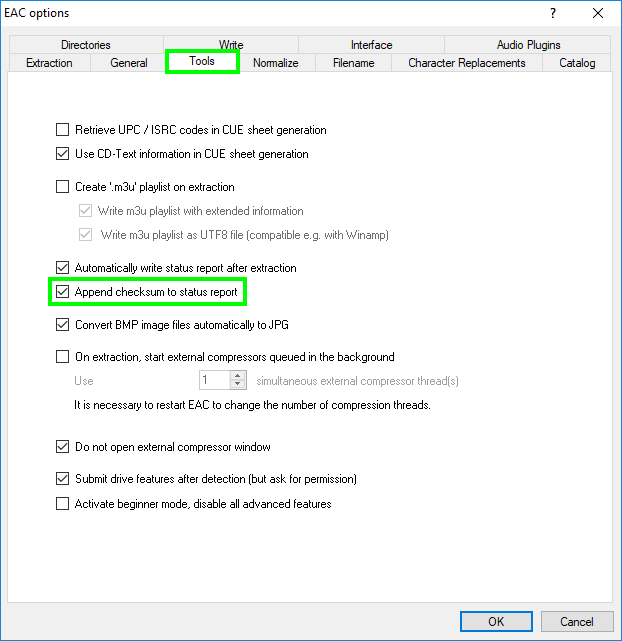
This will only work if the log file has a checksum appended when written. EAC v1.0 beta 1 and up.
Enable in the settings: EAC —-> EAC Options —-> Tools tab then tick “Append checksum to status report”